eCommerce
 Memberships
 RAG Chatbot
 Online Courses
 Bookings
 Travel guide
 Events
 Content Creators
 Pickup & Delivery
 Newspaper
 Radio
Radio Schools
 Faith
Faith Organizations
 Restaurant
 Grocery
 Custom apps
 Employee Communication

 NO CODE APP BUILDER
 TECHNOLOGY
 WHY GOODBARBER?
 Design
 PRODUCT RESOURCES
 TOPICS
 MOBILE APPS RESELLERS
 DISCOVER
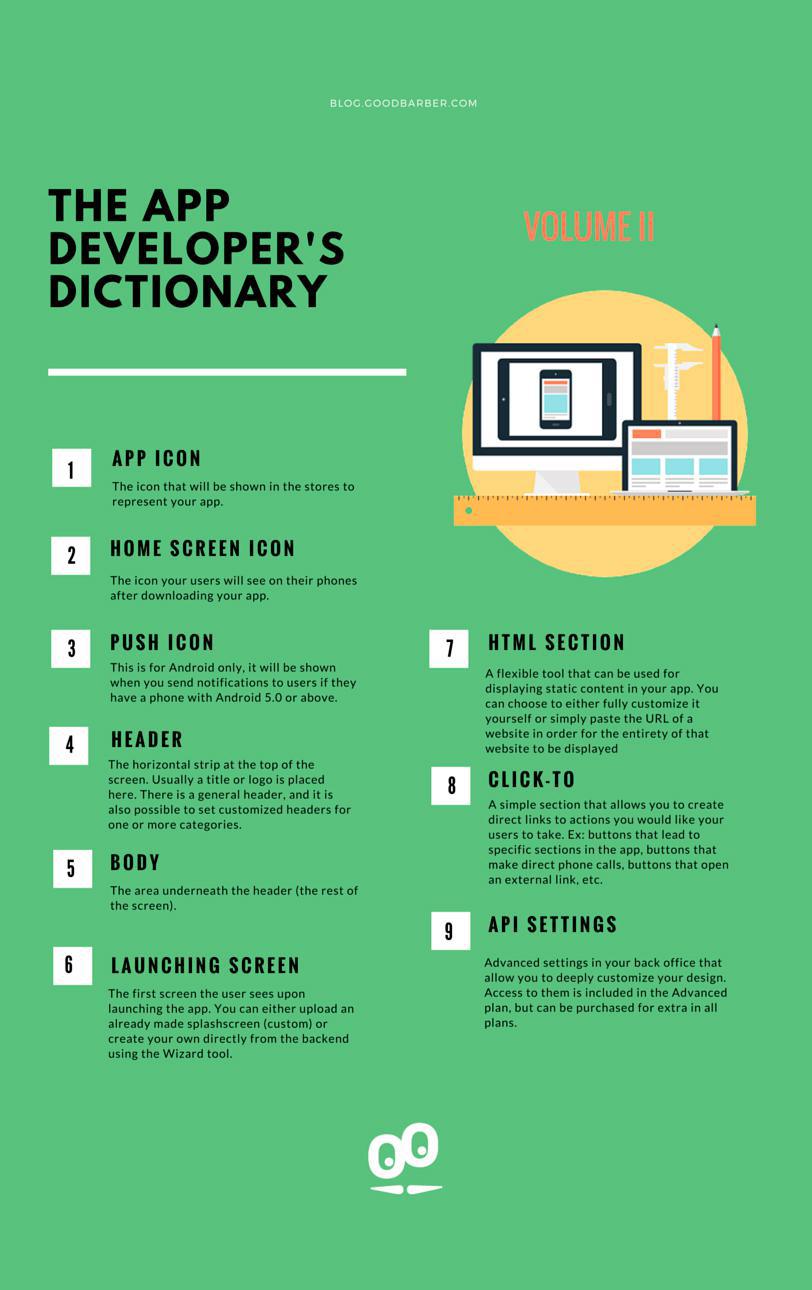
The App Developer's Dictionary Volume II: Creating the App
App Icon
Home Screen Icon
The icon your users will see on their phones after downloading your app.
Push Icon
Header
The horizontal strip at the top of the screen. Usually a title or logo is placed here. There is a general header, and it is also possible to set customized headers for one or more categories.
Body
Launch Screen
The first screen the user sees upon launching the app. You can either upload an already made splash screen (custom) or create your own directly from the backend using the Wizard tool.
HTML Section
A flexible tool that can be used for displaying static content in your app. You can choose to either fully customize it yourself (you have to create your own html code) or simply paste the URL of a website in order for the entirety of that website to be displayed. Keep in mind that the second option results in a non-native section in your app, but is nonetheless very useful. Also, be extra careful with external coding, as it needs to follow all the requirements in order to make sure it will work in the native (iOS and Android) versions of your app.
Click-To
API Settings